 Voir ce site en français

 English
 Español
 Deutsch
 Italiano
 Русский
 中文
 日本語
 한국어
 ไทย
Edit text
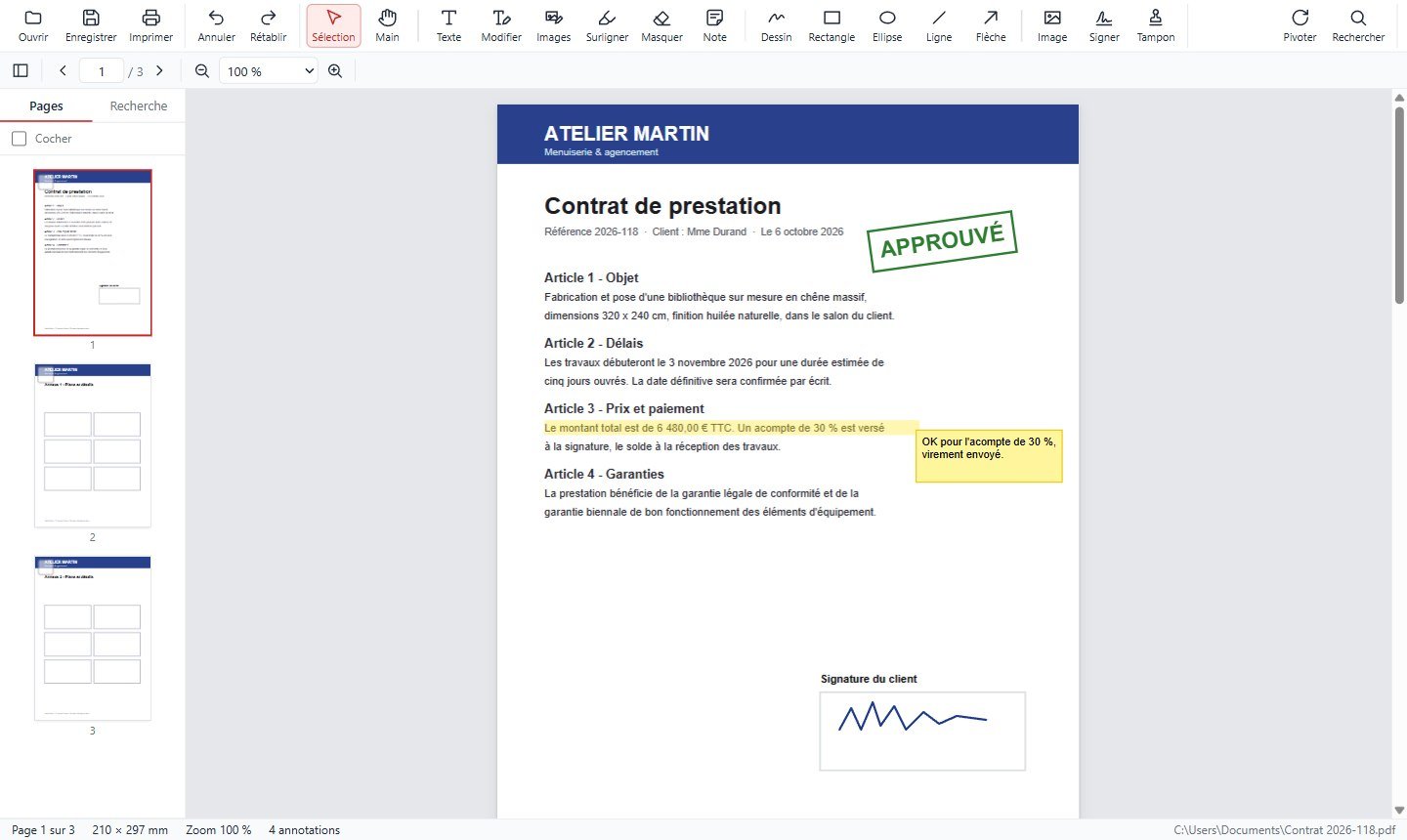
Click a line in the document and retype it: the original font and color are applied automatically.
Read, annotate, sign and correct your PDF documents like an ordinary document. Replace a text or an image, reorganise pages, convert to and from Word and Excel, create your own PDFs.
No mandatory subscription, and your files are never sent over the Internet.
Click a line in the document and retype it: the original font and color are applied automatically.
Copy, save, replace, move or delete the images in a PDF, at original quality.
Drawn, typed or imported signature, "Approved" and "Paid" stamps… placed in one click.
PDF form fields are filled in directly, with the forms' automatic calculations.
Merge, split, rotate, reorder by drag and drop, delete several pages at once.
From images, text or a web page. Watermarks, page numbering, export to images.
Word, Excel or OpenDocument to PDF, and this PDF to Word or Excel (tables keep their columns). Conversions use LibreOffice, installed in one click if needed.
Send and receive PDFs (2 MB maximum) with your contacts, encrypted on your PC. The site keeps a file for 48 h at most and deletes it as soon as it is retrieved.
Select a passage to highlight, underline or strike it through. Add notes, arrows, shapes and freehand drawings.
Contracts, signed quotes, ID documents, payslips: stop leaving them lying around in a mailbox. PdfDesk encrypts them on your PC before sending, and only your recipient can open them.
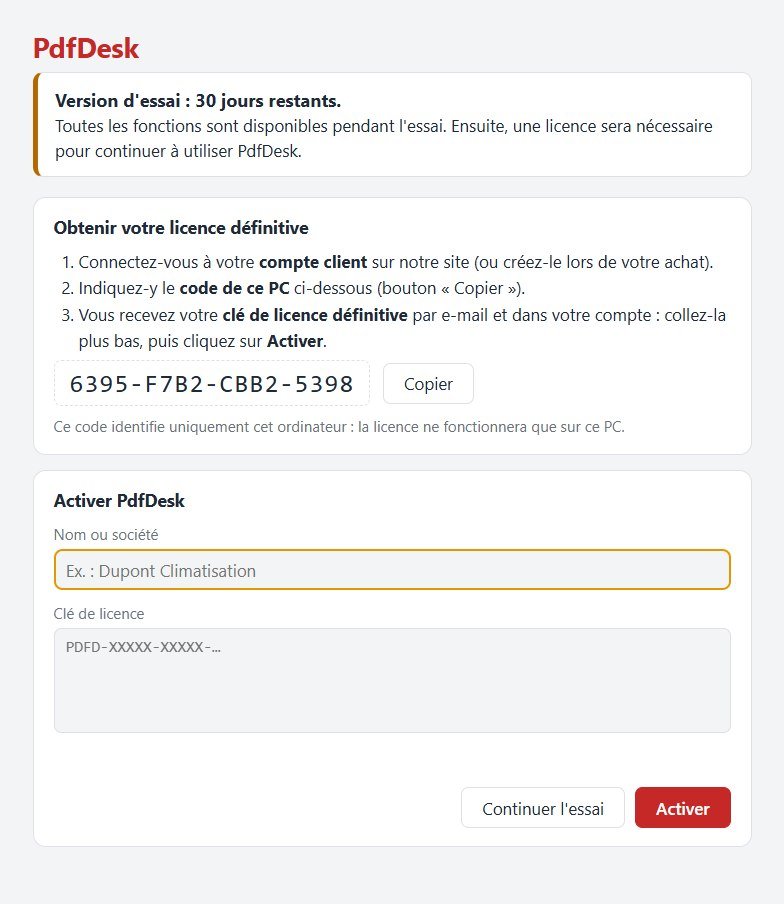
During the trial, PdfDesk shows the time remaining. When you buy, your key is ready in your account within seconds.
Every feature is in the PdfDesk toolbar or menus, with its keyboard shortcut.
Install the software for free. You have 72 h to test everything, with no limits at all.
Buy online in a few clicks. Your customer account is created along with your order.
In the software, click “Activate” and enter your account email address: the link you receive activates this PC.
Prices incl. VAT. Try it free first for 72 h.
Both apps, lifetime licenses.
All features, with version 1 updates included.
All features for 12 months.
A single order for the family's PCs: each computer is activated with your email address. Personal use, at home.
Both apps on the 3 PCs in your home, lifetime licenses.
Family plan reserved for personal, non-commercial use, 3 computers in the same household. For a business or nonprofit, choose the multi-PC plans.
For families, nonprofits or businesses: one license per computer, with volume pricing. Each PC gets its own key from your account.
| Plan | PCs | Price incl. VAT | Per PC | |
|---|---|---|---|---|
PdfDesk lifetime licenses |
5 PCs | 199.00 € 295.00 € | 39.80 € | Buy |
PdfDesk lifetime licenses |
10 PCs | 349.00 € 590.00 € | 34.90 € | Buy |
PdfDesk lifetime licenses |
20 PCs | 599.00 € 1,180.00 € | 29.95 € | Buy |
PdfDeskOptiCare PC lifetime licenses |
5 PCs | 269.00 € 395.00 € | 53.80 € | Buy |
PdfDeskOptiCare PC lifetime licenses |
10 PCs | 469.00 € 790.00 € | 46.90 € | Buy |
PdfDeskOptiCare PC lifetime licenses |
20 PCs | 799.00 € 1,580.00 € | 39.95 € | Buy |
No. PdfDesk works on your computer: your PDFs never leave your PC.
Yes, for your own documents: if you know the password, or if the PDF only has restrictions (printing, copying), PdfDesk saves an unlocked copy.
Yes. For 72 h, all features are available, with no watermark and no limits. No credit card is required to download.
The software asks you to activate a license. Your files are never touched: you can buy a license at any time and pick up right where you left off.
After your purchase, open the software, then the "License and activation" screen. Copy the PC code shown and enter it in your customer account: your key is generated immediately and sent by email. Paste it into the software and click "Activate".
One license works on one PC. If you change computers, write to us from the Contact page: we'll transfer your license to the new PC, and the old computer will be deactivated.
You receive one license per computer, with volume pricing. In your account, each PC appears separately ("PC 1 / 5", "PC 2 / 5"…): on each PC, copy the PC code shown by the software and enter it on a free slot to get the key for that computer. You equip your PCs at your own pace. The multi-PC bundle includes both apps on every PC.
Yes: every lifetime license includes 24 months of updates (new versions and new features). After that, you can extend them by 24 months for 10.00 € per PC, from your account. Without an extension, your software keeps working normally, with no time limit.
The lifetime license is paid once and never expires. The 1-year license costs less and works for 12 months from activation; you can then renew it or upgrade to the lifetime license.
Yes: payment is handled by PayPal, by credit card or with a PayPal account. We never have access to your payment details.
Windows 10 and Windows 11 (64-bit). A portable version, with no installation required, is also available for download.
Yes, every order comes with an invoice, which you can download at any time from your customer account.
Download PdfDesk or OptiCare PC for free. 72 h full trial, no commitment.
Loading…